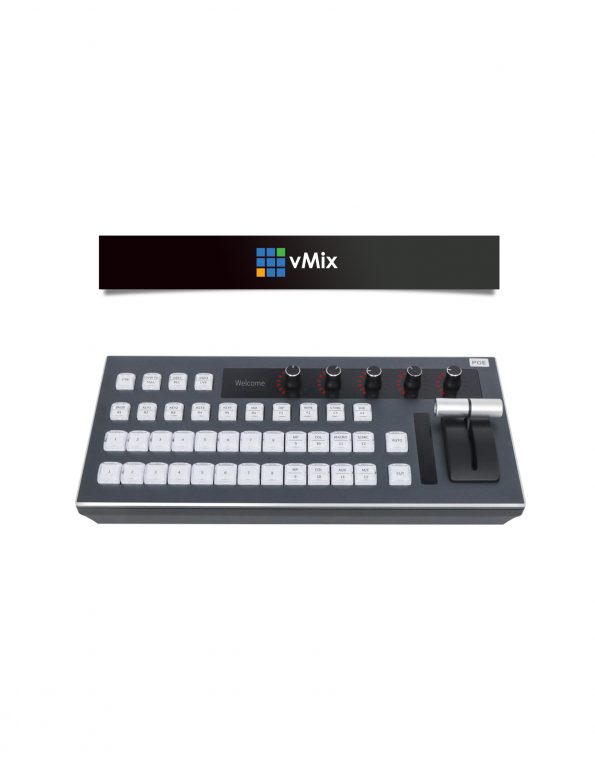
The HDkaton KT-KD50V Vmix Control Panel is a powerful and versatile tool designed to enhance your live streaming and video production experience with Vmix software. This compact and user-friendly panel provides a physical interface for controlling various aspects of your Vmix setup, allowing you to streamline your workflow and achieve more professional results. Key features of the HDkaton KT-KD50V Vmix Control Panel include:Intuitive layout: The panel features a well-organized layout with clearly labeled buttons and knobs, making it easy to navigate and operate even for beginners.Customizable buttons: You can customize the buttons on the panel to assign specific functions or macros, allowing you to quickly access frequently used features and streamline your workflow. RGB backlit buttons: The backlit buttons provide clear visibility in low-light environments, ensuring that you can easily identify and control the desired functions.T-bar and encoder knobs: The T-bar and encoder knobs offer precise control over various parameters, such as audio levels, transition effects, and camera movements. Built-in audio adjustment: The panel includes built-in audio controls, allowing you to adjust input and output levels, apply effects, and manage audio sources directly from the panel. Special effects and transitions: The HDkaton KT-KD50V supports a wide range of special effects and transitions, including picture-in-picture, wipes, dissolves, and more. Tally support: The panel provides tally light support, indicating which cameras are currently on-air or previewed, helping you stay organized and avoid mistakes. Multiple connection options: The panel can be connected to your computer via USB, RS232, or LAN, offering flexibility in your setup.Plug-and-play compatibility: The panel is designed to be plug-and-play compatible with Vmix software, requiring no additional drivers or setup.Overall, the HDkaton KT-KD50V Vmix Control Panel is a valuable tool for anyone who uses Vmix software for live streaming or video production. Its intuitive design, customizable controls, and wide range of features make it a great way to enhance your workflow and achieve professional-quality results.